
What is a Transaction?
A transaction is an individual business event where money or value is exchanged. Every time you sell a service, purchase inventory, pay a bill, or even move money from your cash drawer to your bank account, you are creating a transaction. In BookSpree, transactions are the heartbeat of your records. They serve as the raw data that tells the story of your business’s daily operations. By accurately recording these events, you ensure that your financial reports—like your Profit & Loss and Balance Sheet—stay up-to-date and reflect the true state of your company.Role
The General Journal acts as the master logbook for your entire business. While a transaction is a single event, the Journal is the chronological diary where all these events are gathered and stored in order. Think of it as a master history book that never forgets. Instead of hunting through different folders to find out where your money went, you can simply open the General Journal to see a complete, day-by-day list of everything that has happened financially within your organization.Key Components
Every entry in the General Journal contains specific details designed to make your records easy to understand and audit.- Transaction Number: This is a unique identifier assigned to every entry, acting like a receipt number that helps you find it later.
- Date & Posting Date: These tell you exactly when the transaction occurred and when it was officially recorded in your books.
- Description: This is a short note that explains the “why” behind the money move, such as “Stock Purchase” or “Client Payment.”
- Accounts Affected: Each entry shows which categories are involved, such as “Bank,” “Sales,” or “Rent.”
- Debit (DR) & Credit (CR): These represent the movement of value. In BookSpree’s simple interface, these columns ensure that your books are mathematically sound and always in balance.
Double-Entry
BookSpree relies on a time-tested principle where every transaction affects at least two places. This ensures that money is never “lost” in the system. For example, if you pay for a new laptop using your bank account, your “Bank” account decreases while your “Equipment” account increases. By recording both sides of the story, BookSpree makes sure that your total records always stay balanced. This process happens automatically when you create a new entry, providing you with professional-grade accuracy without needing an accounting degree.Navigating
The system provides multiple ways to look at your data depending on your needs. The General Journal gives you the “big picture” of everything happening across the business. However, if you want to see the specific history of just one account—like your Electricity Charges or Cash on Hand—you can view the Account Detail (also known as a Ledger). This view shows you the starting balance, every transaction that affected that specific account, and the current running total, making it incredibly easy to reconcile your bank statements or track your spending habits over time.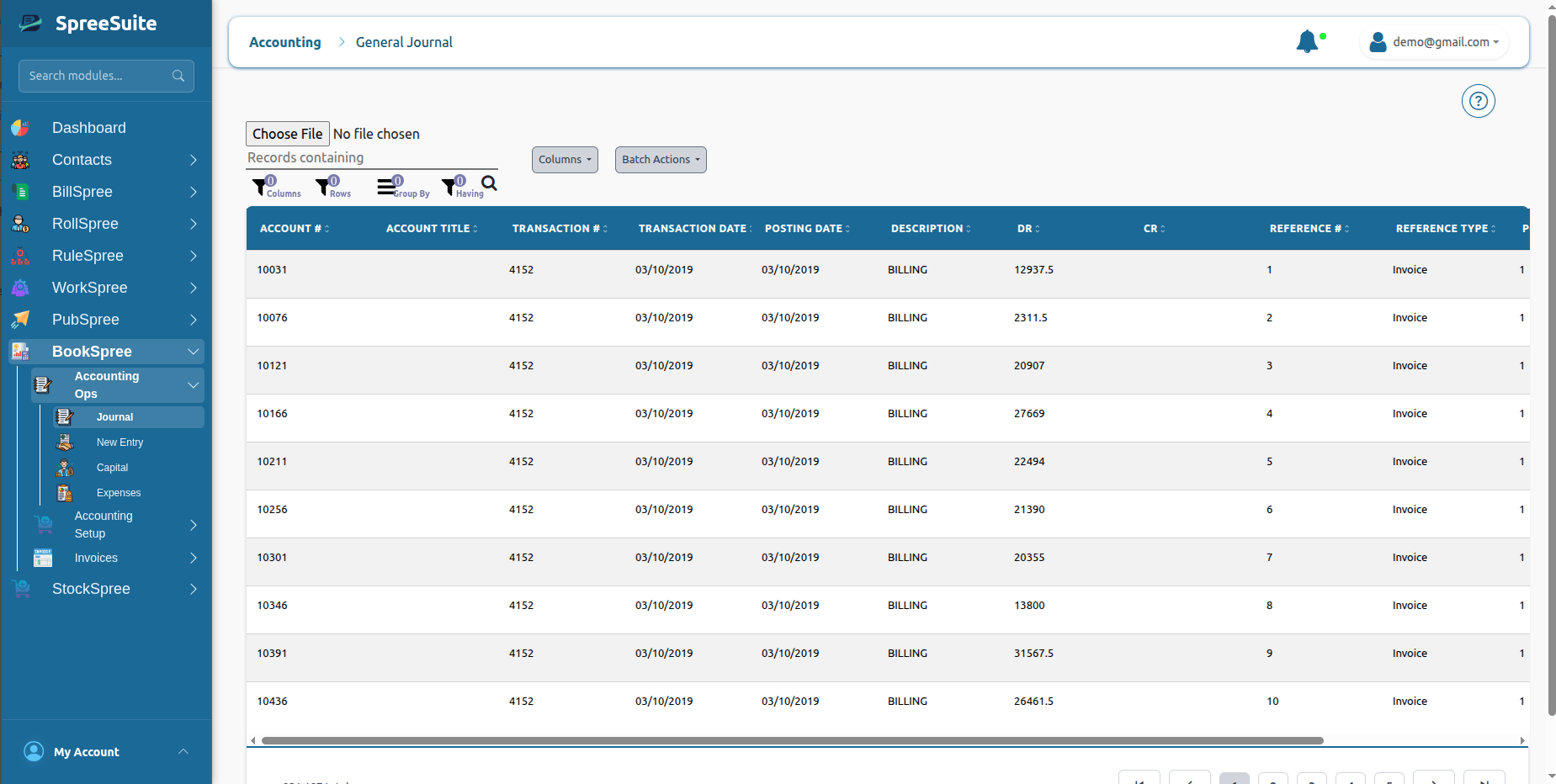
- Date — When the transaction happened (select from calendar)
- Description — What the transaction is for (e.g., “Paid rent for office”)
- Account — Select which account(s) are affected (you can search for accounts)
- Transaction Type — Choose Debit (Dr) or Credit (Cr)
- Amount — How much money is involved
- Debit “Rent Expense” $100 (money going out)
- Credit “Cash” $100 (money leaving your cash account)