
List View Competencies
1. Navigate to Competencies
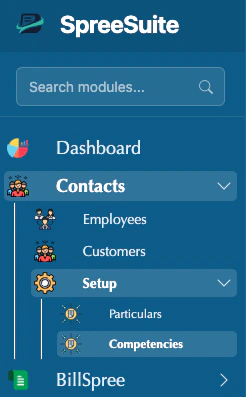
Add a new Competencies
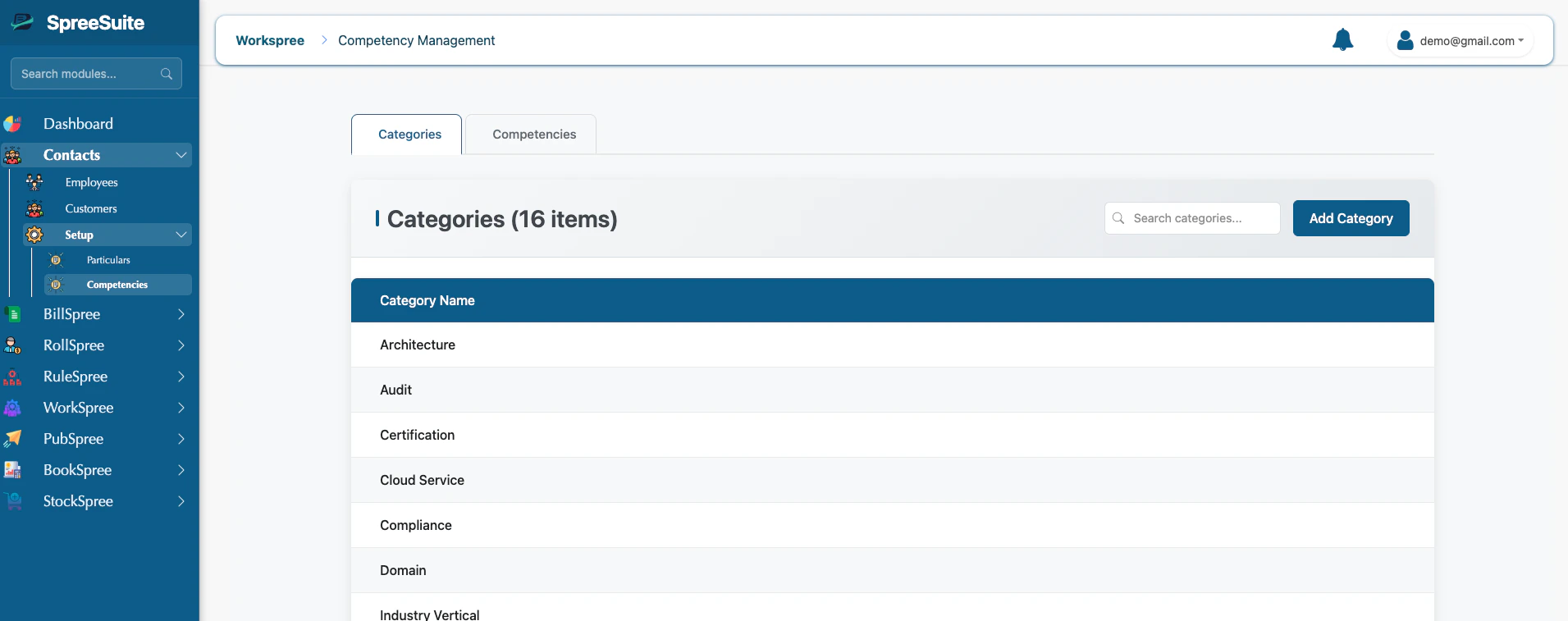
- View List: See all created categories in a clean table.
- Search: Use the search bar to find a specific category by name.
- Pagination: If you have many categories, use the page controls at the bottom to navigate.
1. How to Create a Category
1
Open Add Category Modal
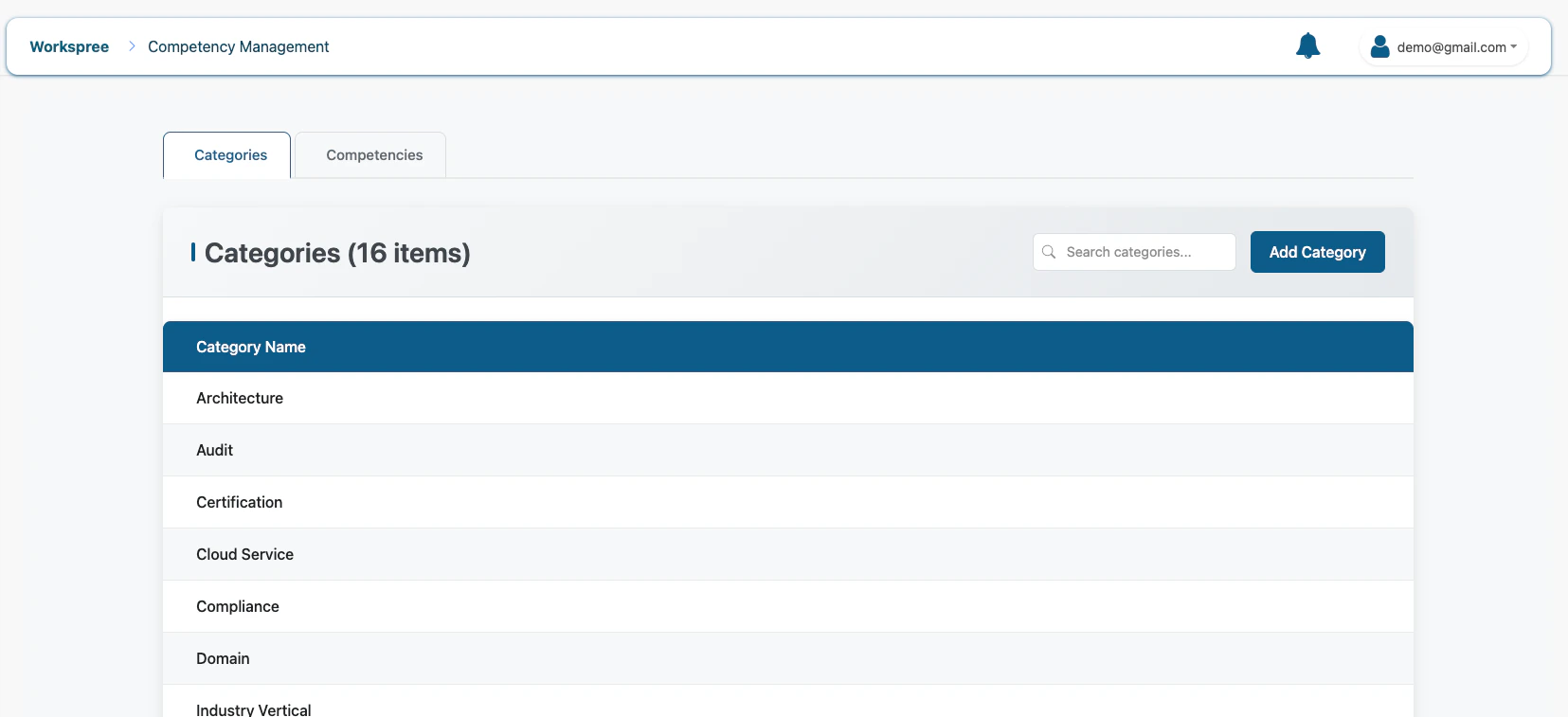
Click the Add Category button in the top right corner of the Categories tab.
2
Enter Category Name
Provide a clear, descriptive name for the group.
- Category Name: Use broad terms like “Programming,” “Languages,” or “Safety Standards” (Required, min 2 characters).
3
Save
Click the Save button. The new category will now be available for your skills.
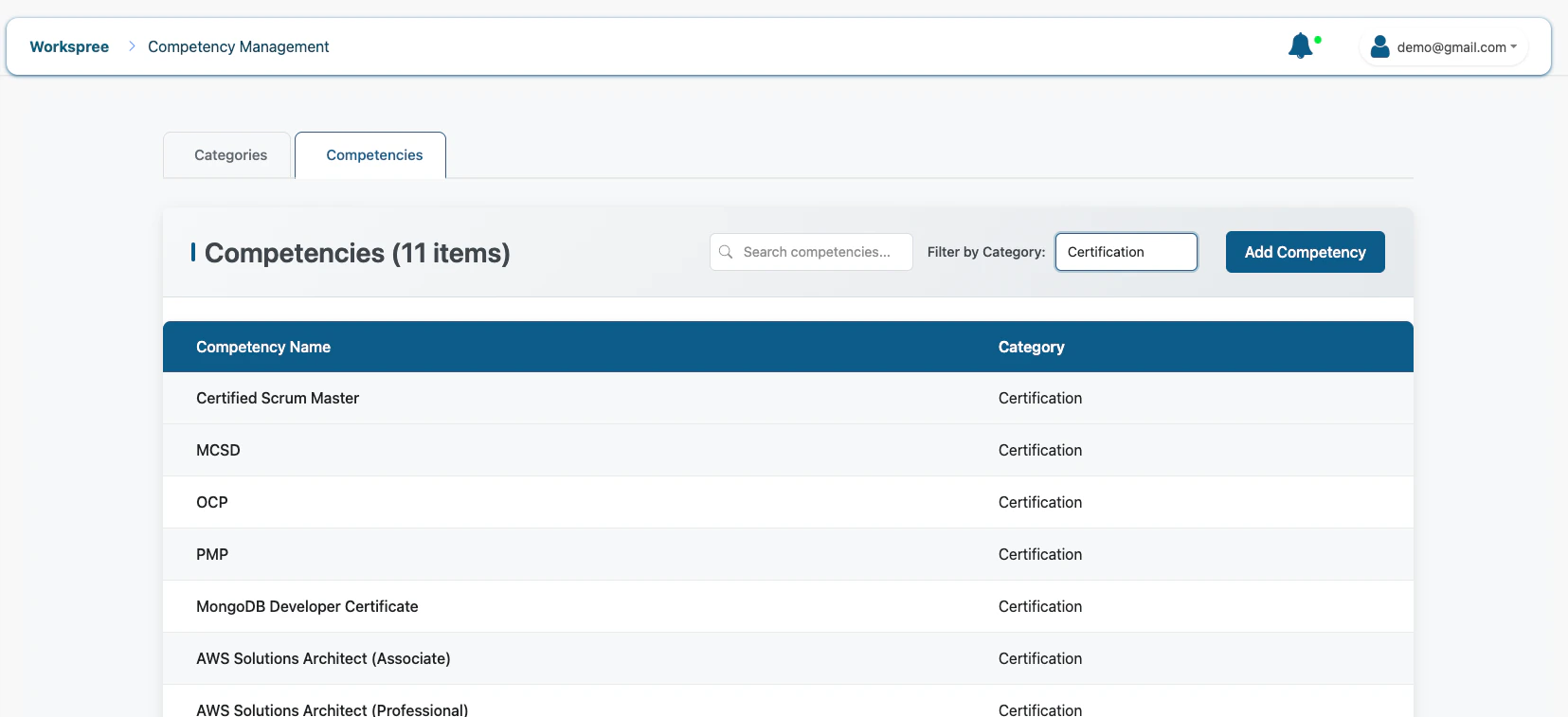
- Filter by Category: Use the dropdown menu to see only skills belonging to a specific group (e.g., “Technical” or “Administrative”).
- Search: Quickly find a skill by typing its name.
2. How to Create a Competency
1
Navigate to Competencies
Switch to the Competencies tab and click the Add Competency button.
2
Enter Skill Details
Fill in the specific skill information.
- Competency Name: The specific skill name, like “Python,” “French,” or “First Aid” (Required, min 2 characters).
3
Pick a Proper Category
Select the most relevant category from the dropdown menu.
4
Save and Confirm
Click Save. The competency is now registered and will appear in your filtered lists.
Detailed Field Guide
1. Category Fields
2. Competency Fields
Where do Competencies show up?
Competencies are used throughout the system to help you understand your team’s strengths:- Employee Profiles: Assign these skills to specific staff members to build their professional profiles.
- Resource Planning: Search for employees who have specific competencies needed for a project.
- Workspree (Projects): Match task requirements with the skills of your team members.