What is the Chart of Accounts?
The Chart of Accounts (COA) is like a filing cabinet for your business. It is a list of all the categories (accounts) where you store your money transactions. For example:- Cash Account: Money you have in hand.
- Bank Account: Money in your bank.
- Rent Expense: Money you spend on office rent.
Viewing Your Accounts
You can look at your accounts in two ways:1. Tree View
This shows how accounts are related. For example, “Current Assets” might include “Cash” and “Bank”.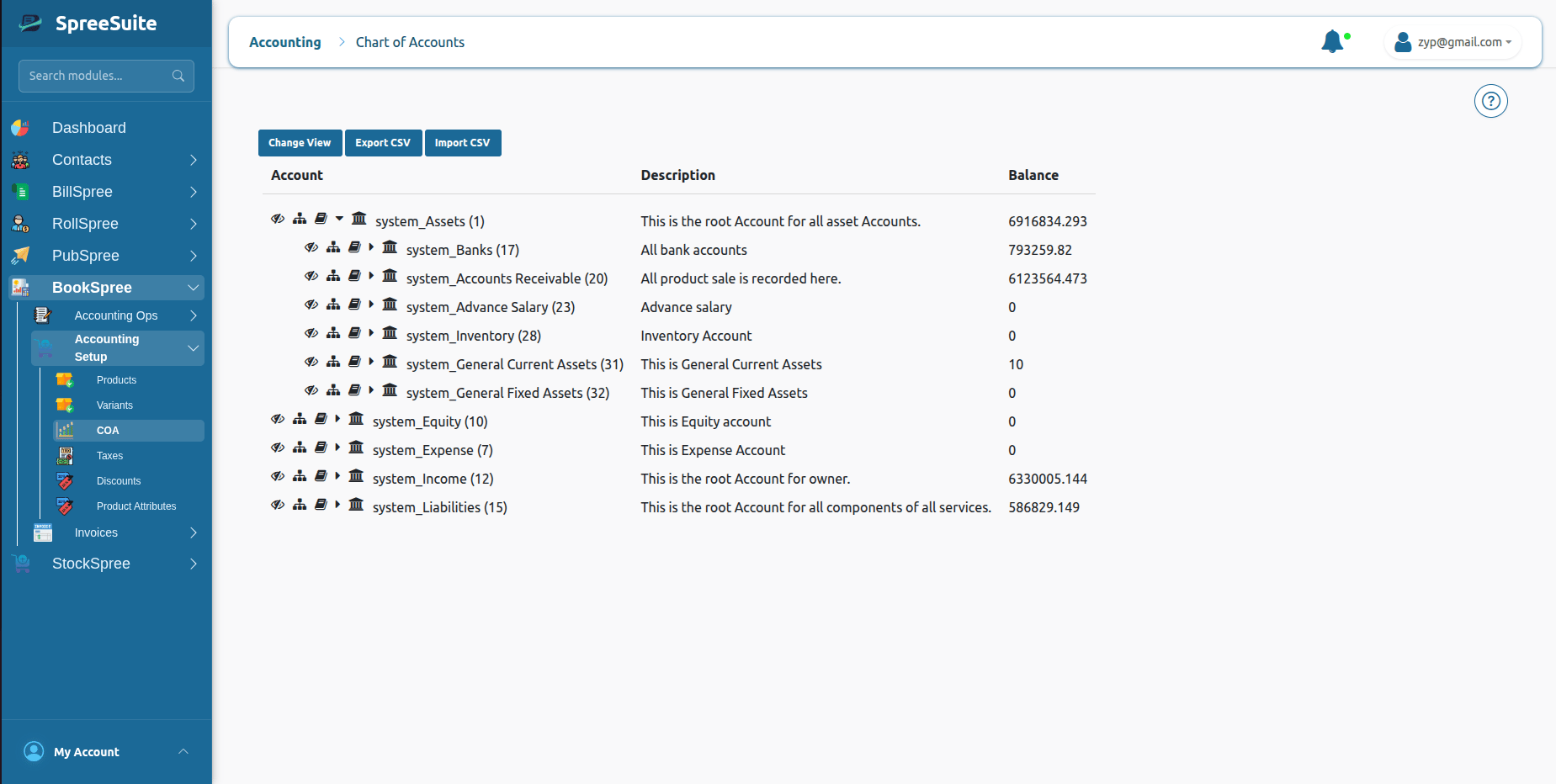
2. List View
This shows all your accounts in a simple list, like a spreadsheet. It tells you the name, type, and current balance of each account.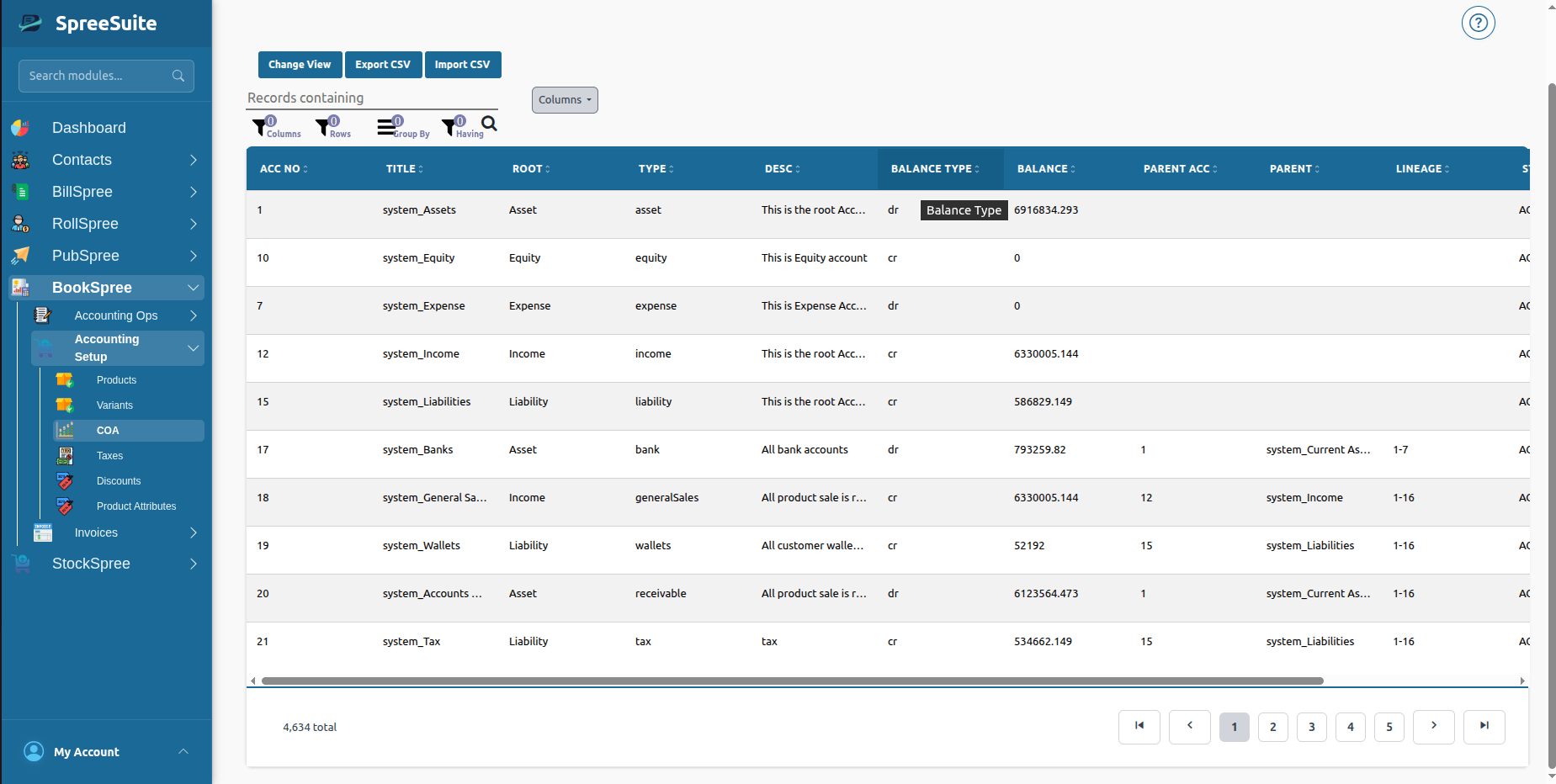
Account Details & Ledger
When you click on an account name, you can see its Details. This shows you every single transaction that has ever affected that specific account.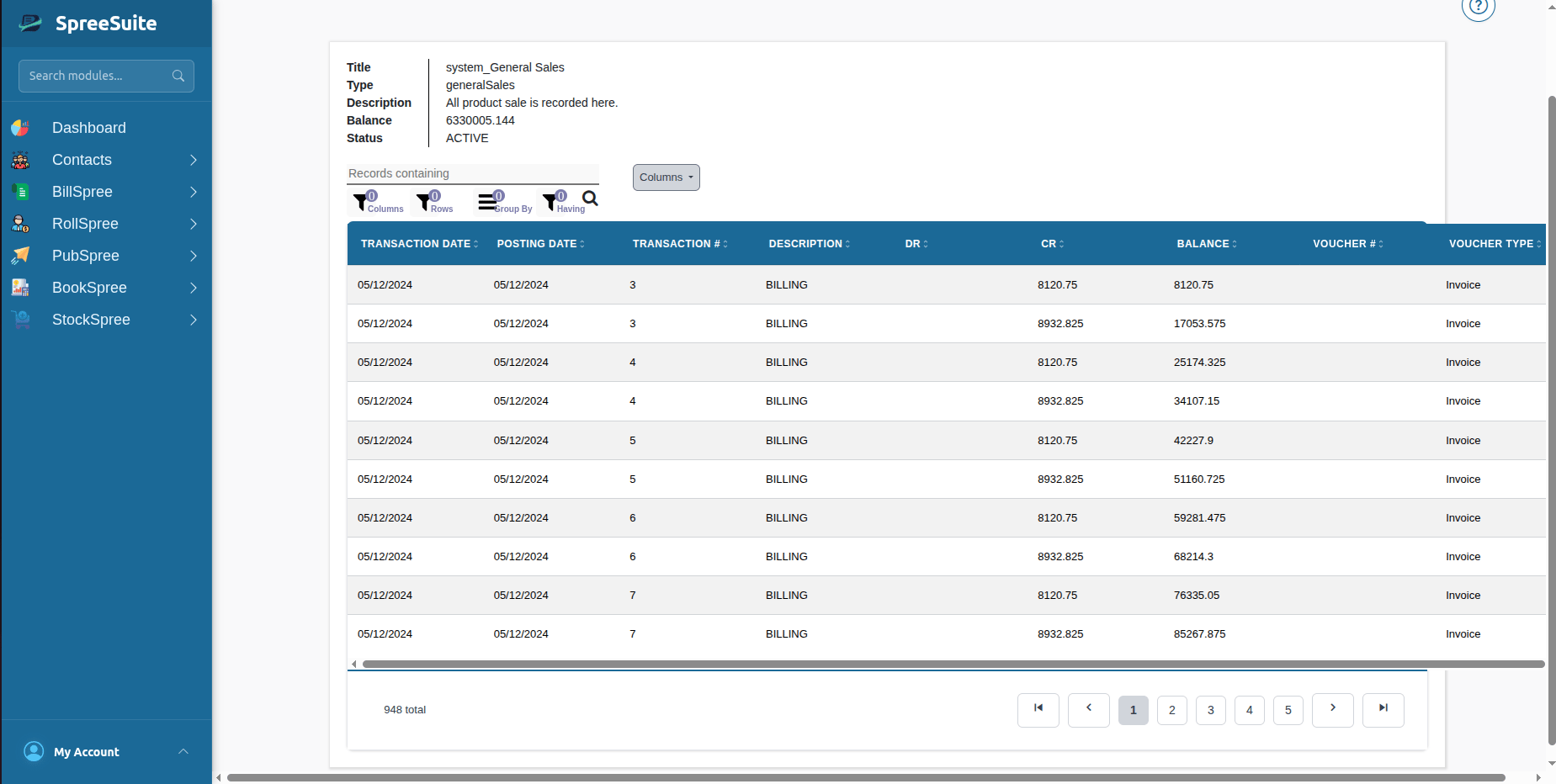
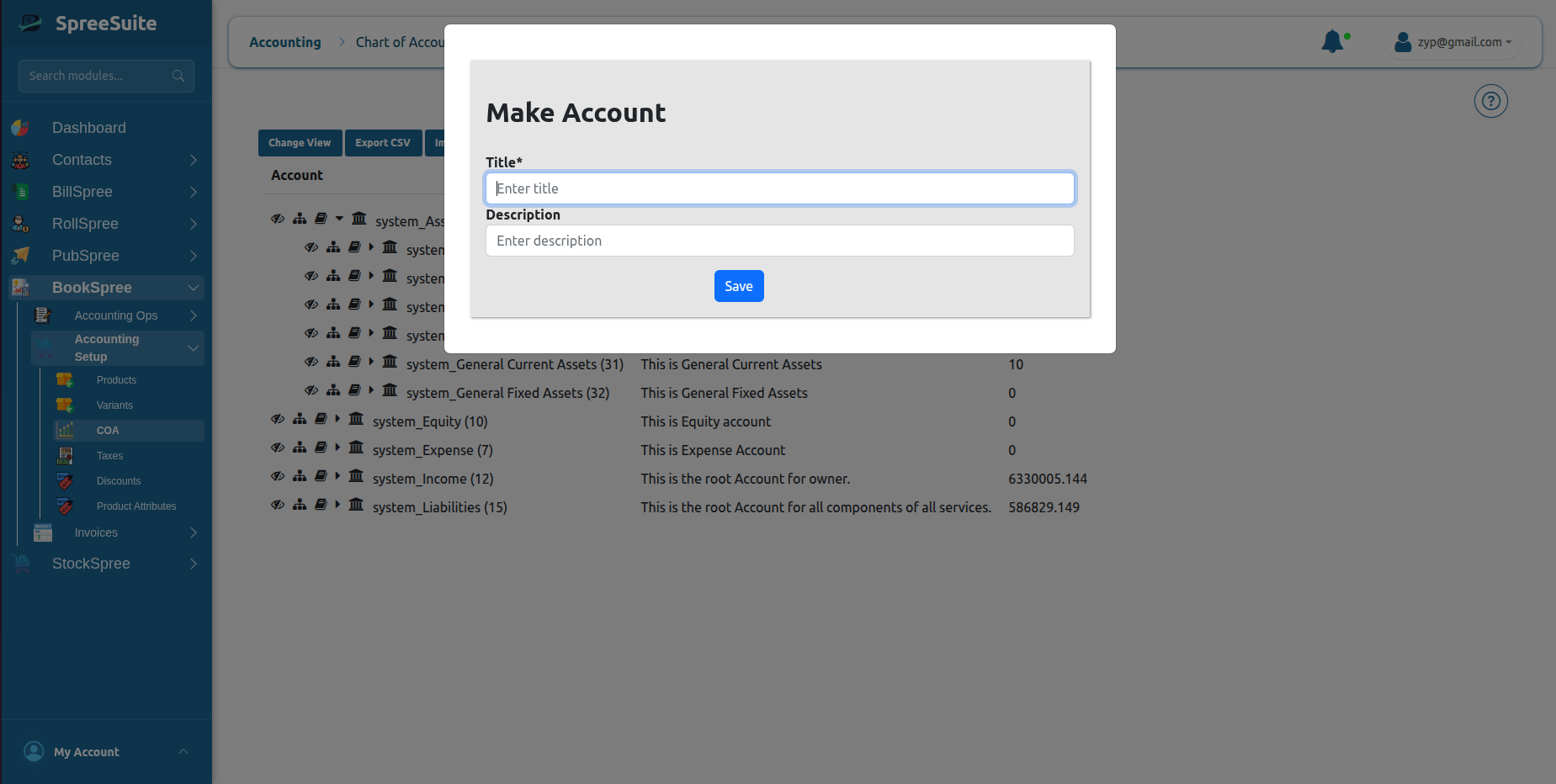
Create a new category (Account)?
- Go to Accounting Setup → COA.
- Click the “Tree Structure ” in tree view.
- Give it a Title (like “New Office Laptop”).
- Pick the Type (is it an Asset? an Expense?).
- Click Save. Now you can start recording money in this new category!