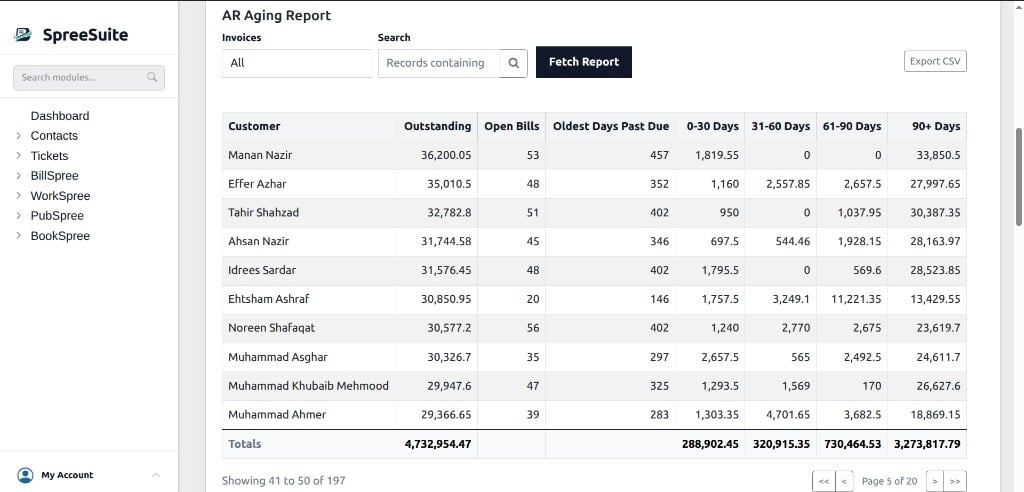
Outstanding customer balances broken down by how long they’ve been unpaid.
Outstanding customer balances broken down by how long they’ve been unpaid, per customer.Open Dashboard → Billing tab, then scroll to AR Aging Report below the Billing–Payment chart.For filters, columns, aging buckets, totals, and how outstanding is calculated, see the full AR Aging Report guide.