> ## Documentation Index
> Fetch the complete documentation index at: https://docs.techfootintl.com/llms.txt
> Use this file to discover all available pages before exploring further.
# Meter Change Operation (MCO)
## Overview
A Meter Change Operation is performed when an existing meter is replaced with a new meter while maintaining continuous billing for the customer.
Meter replacement may occur due to:
* Faulty meters
* Damaged meters
* Meter upgrades
* End-of-life equipment
* Calibration issues
* Smart meter installations
* Regulatory requirements
The Meter Change Operation ensures that consumption is accurately tracked across both the old and new meters without affecting billing continuity.
# MCO Handling Strategy
To prevent incorrect billing, the Meter Change Operation marks the billing record as an MCO transaction.
When billing is processed:
* Negative usage generated due to meter replacement is identified.
* Standard consumption calculations are bypassed.
* Consumption differences caused by the meter replacement are treated as an adjustment scenario.
# [Adjustment](https://docs.techfootintl.com/billing/term-bill-adjustment)-Based Resolution
Instead of billing:
```text theme={null}
120 - 200 = -80
```
the billing engine treats the difference as a Meter Change Adjustment.
The adjustment mechanism ensures:
✓ No negative consumption is billed
✓ Previous meter history remains intact
✓ New meter consumption is preserved
✓ Customer receives an accurate bill
# Example Adjustment
### Billing Calculation
| Description | Value |
| :--------------- | :---- |
| Previous Reading | 200 |
| Current Reading | 120 |
| Calculated Usage | -80 |
Since negative usage is invalid:
| Description | Value |
| :---------------------- | :---- |
| Meter Change Adjustment | +80 |
Adjusted usage becomes:
```text theme={null}
Actual Usage = 120 Units
```
or according to configured business rules, the difference may be posted as a Term Bill Adjustment rather than direct usage.
## Summary
A Meter Change Operation replaces an existing meter with a new one while preserving consumption history, ensuring accurate billing, continuous service tracking, and a complete audit trail.
### How MCO is performed
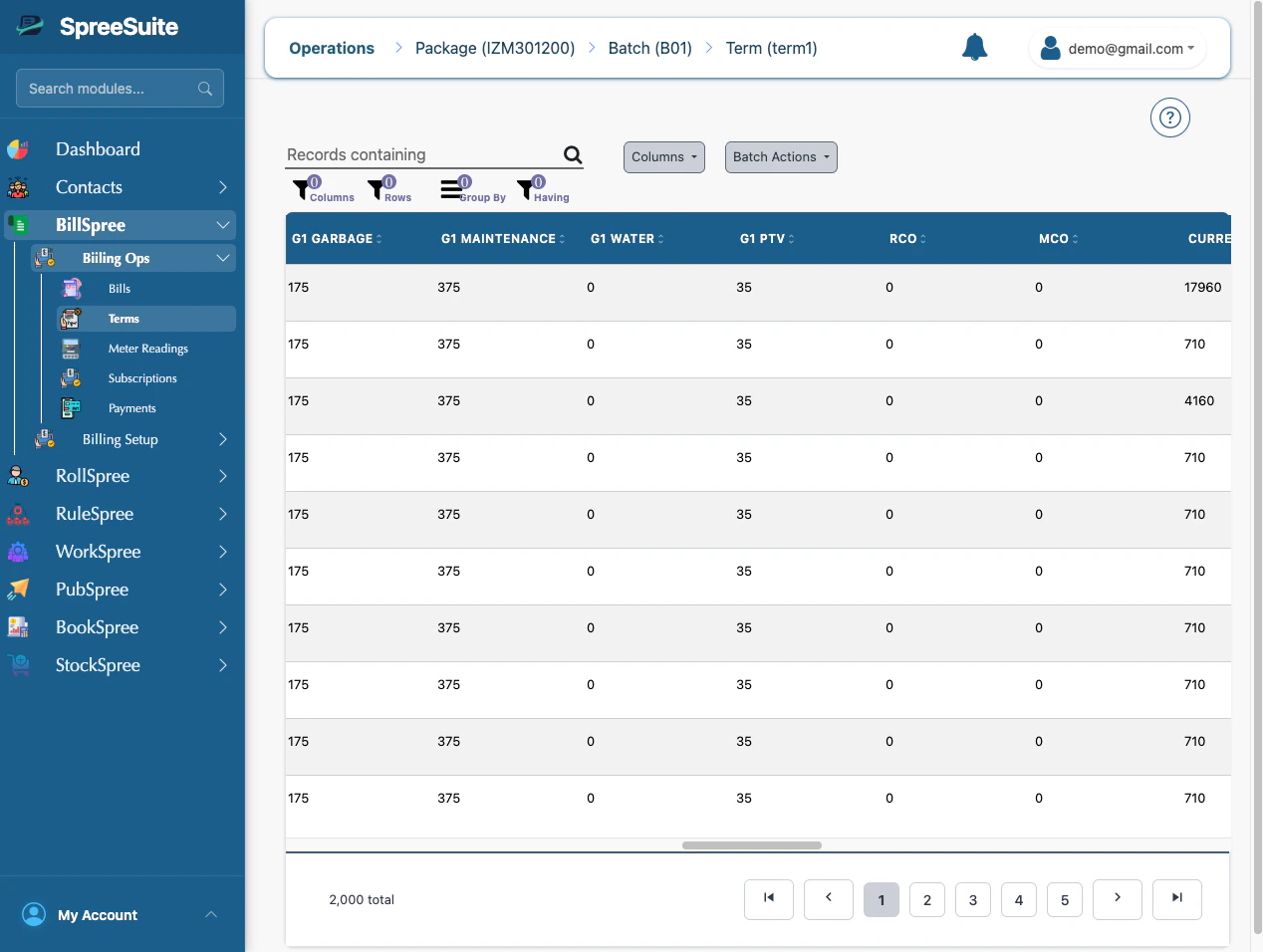
1. In term,
 2. Go on 3 dots,
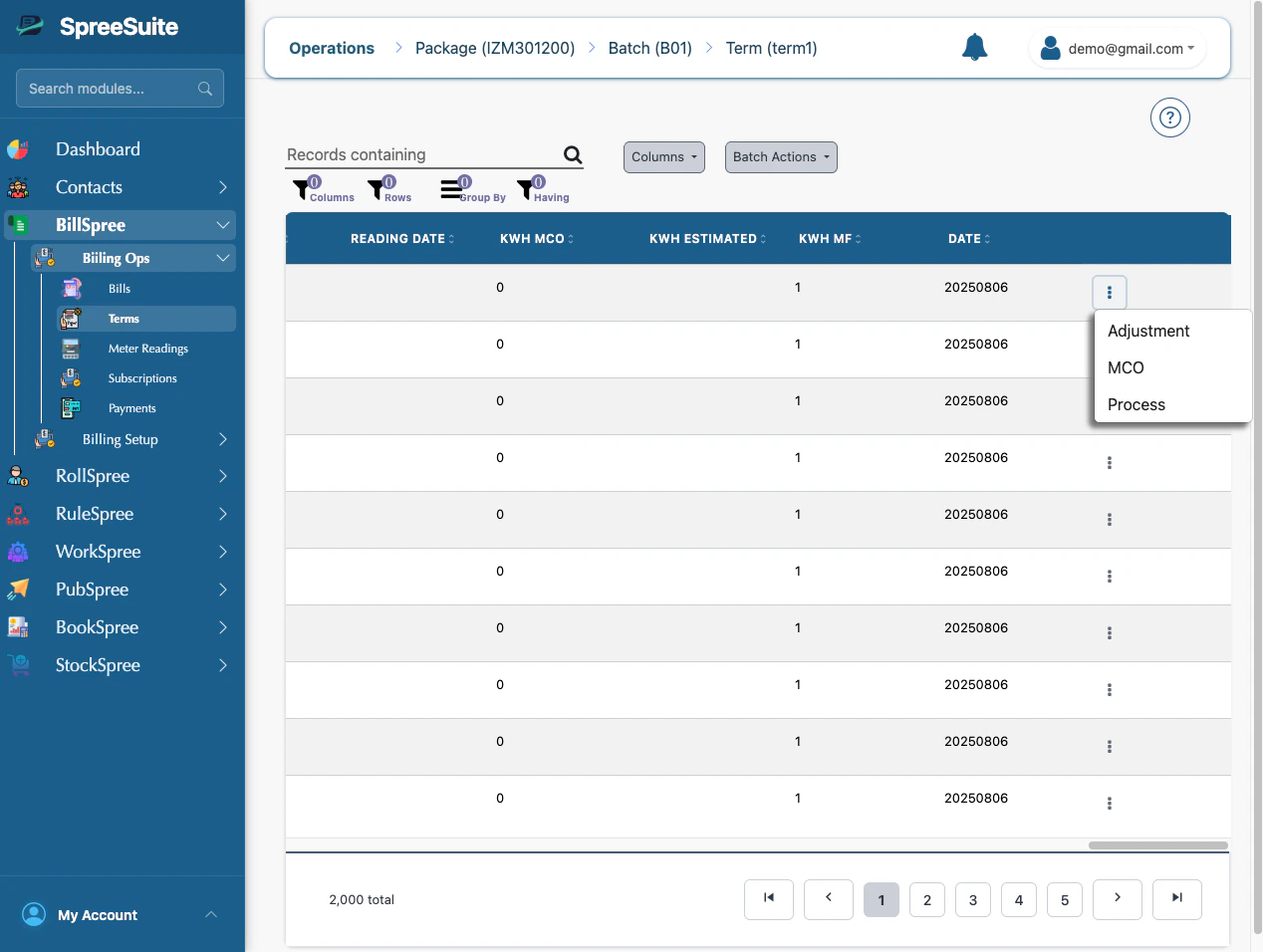 3. Click on MCO, MCO Modals open
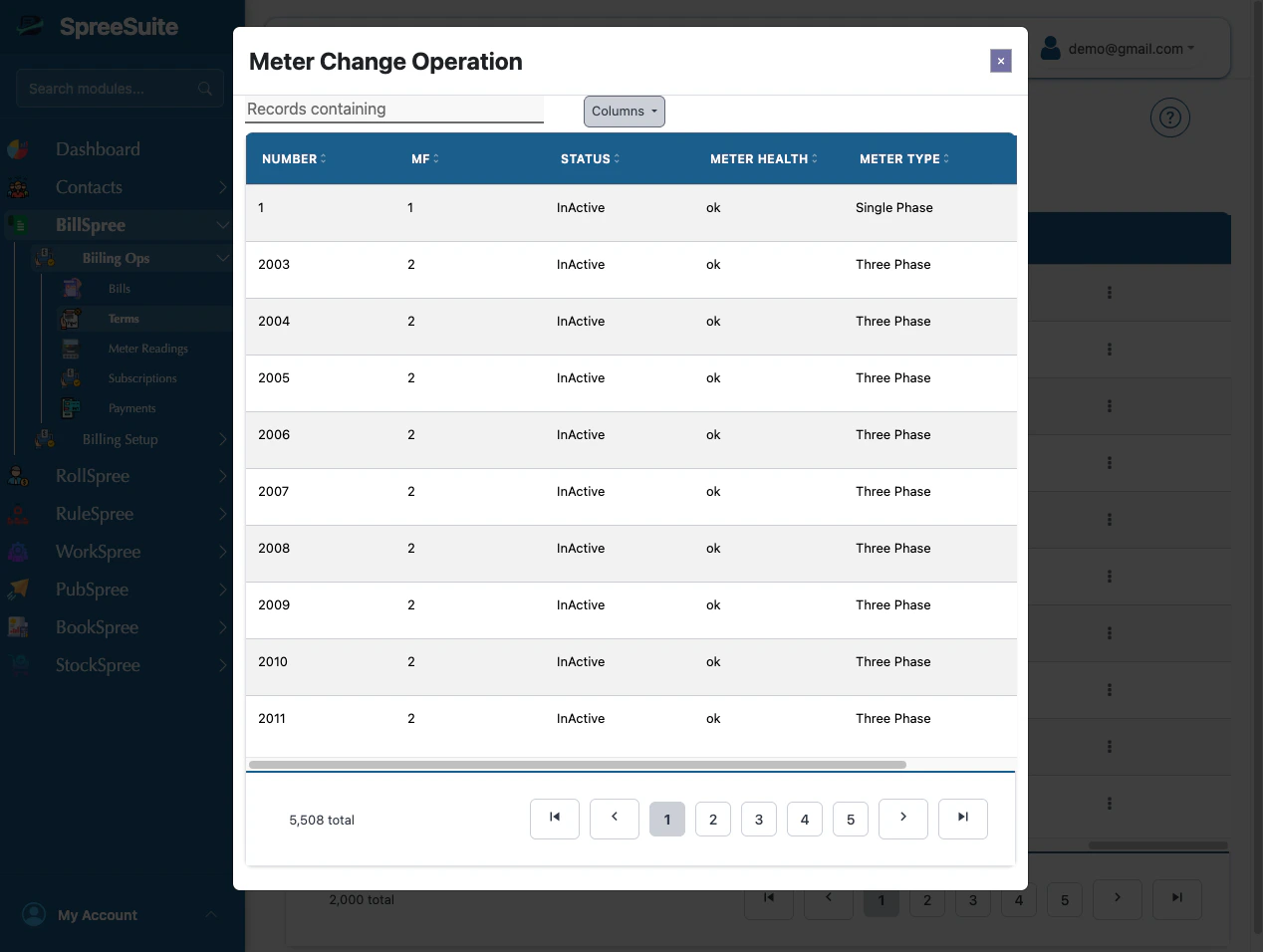 4. Then go to their 3 dots, click on assign
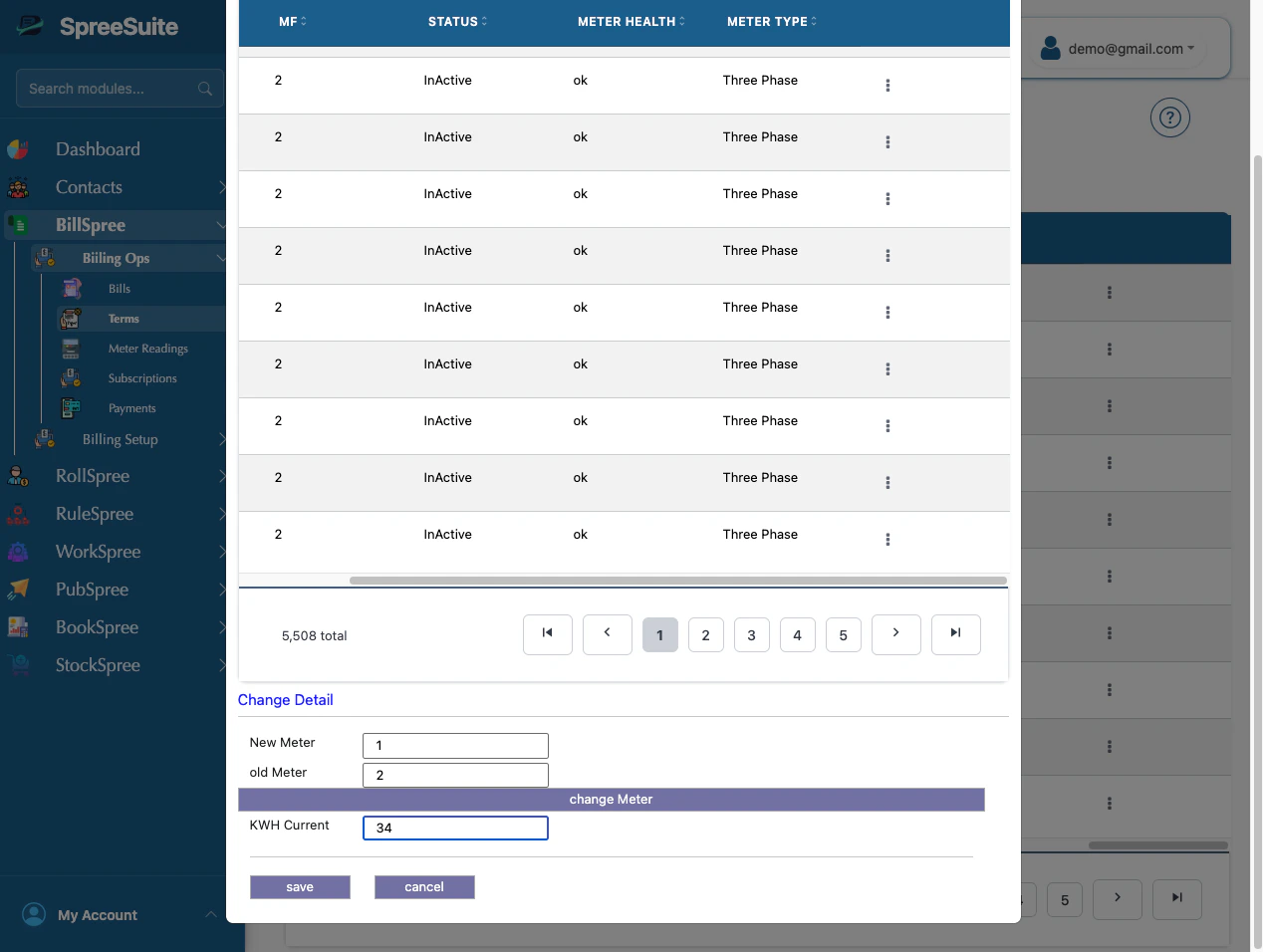
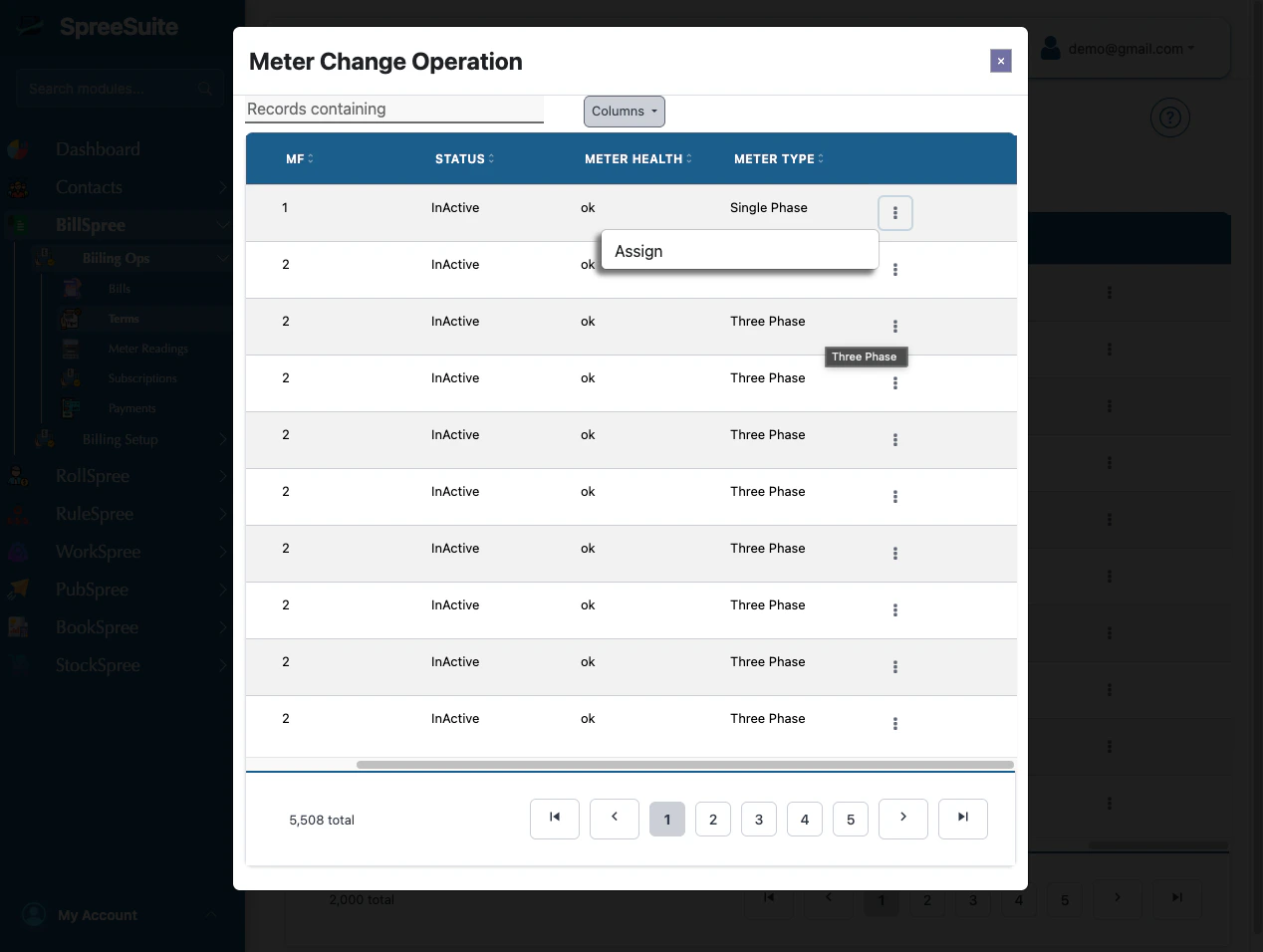 5. When clicking on assign, select meters
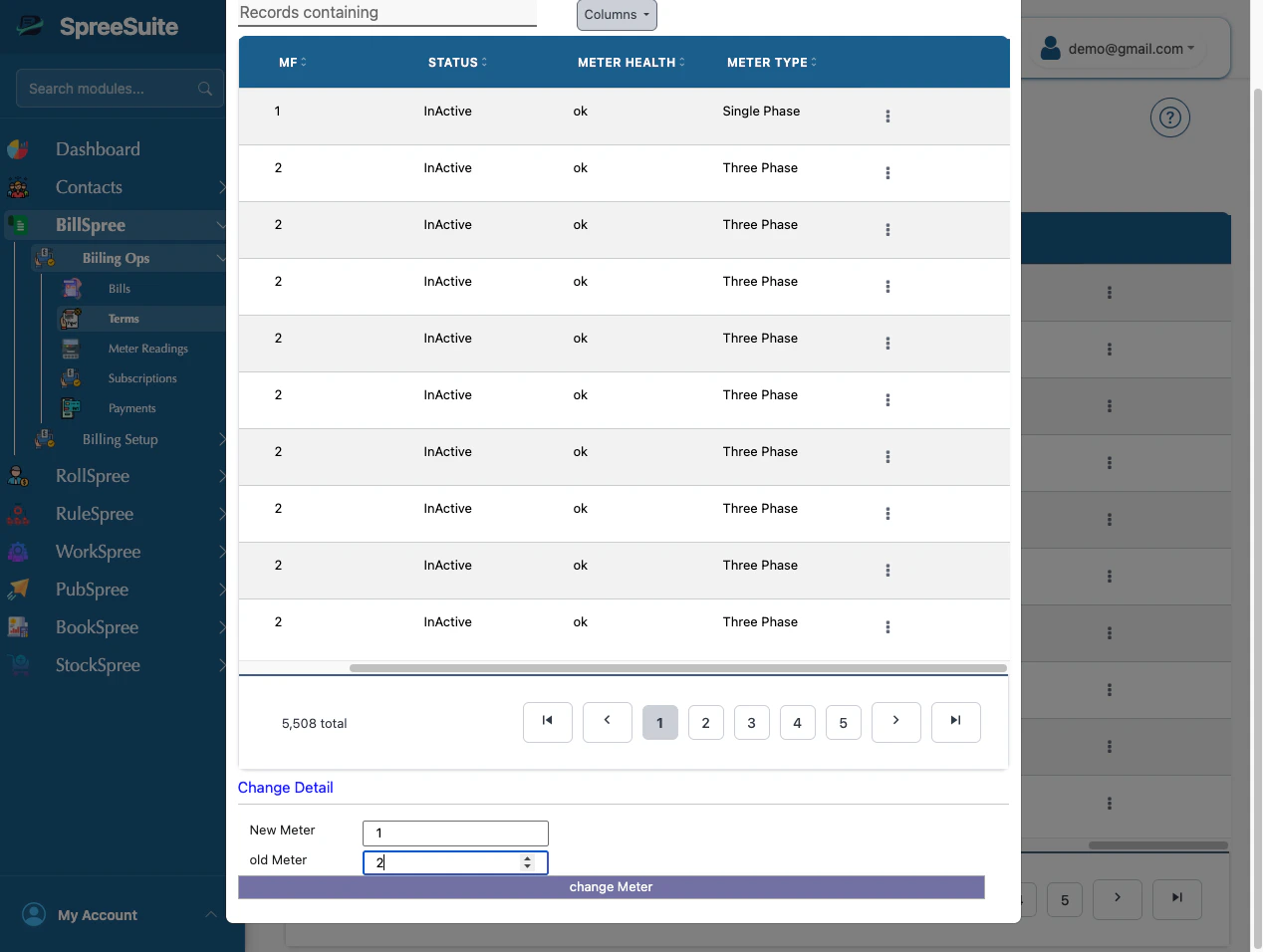 6. Then add kWh and save it