> ## Documentation Index
> Fetch the complete documentation index at: https://docs.techfootintl.com/llms.txt
> Use this file to discover all available pages before exploring further.

# My System

### What are User Group

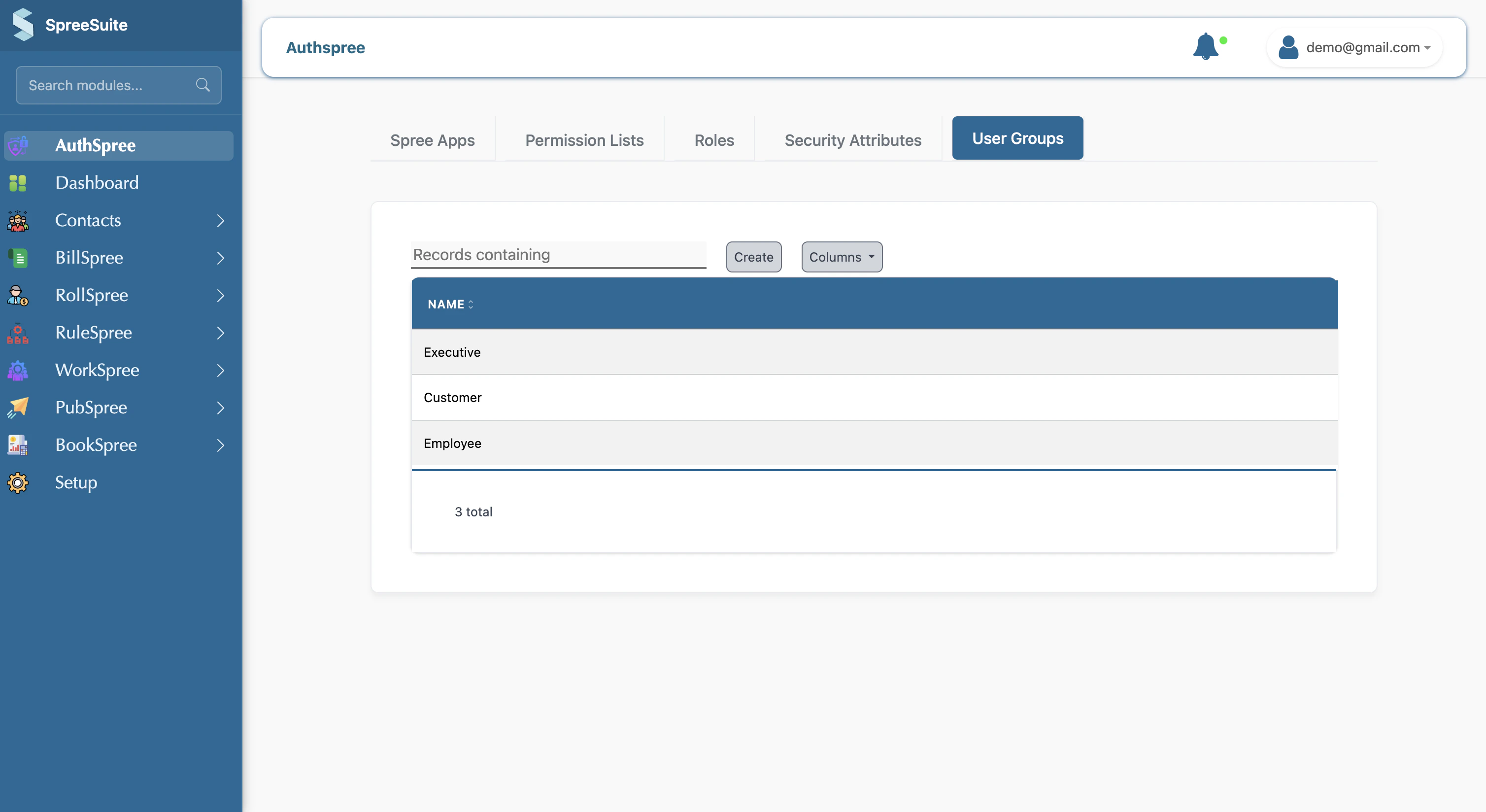
A User Group is a logical grouping of permissions that corresponds to a job function or responsibility.

Here is a list view of
<Frame>
  <img src="https://mintcdn.com/spreesuite/EhPwz8YZU74YThkD/images/Screenshot2026-02-20at9.45.08AM.png?fit=max&auto=format&n=EhPwz8YZU74YThkD&q=85&s=2cc8896cb6f48f177c7b58f7c61bbe3b" alt="Screenshot 2026 02 20 At 9 45 08 AM" width="3016" height="1648" data-path="images/Screenshot2026-02-20at9.45.08AM.png" />
</Frame>

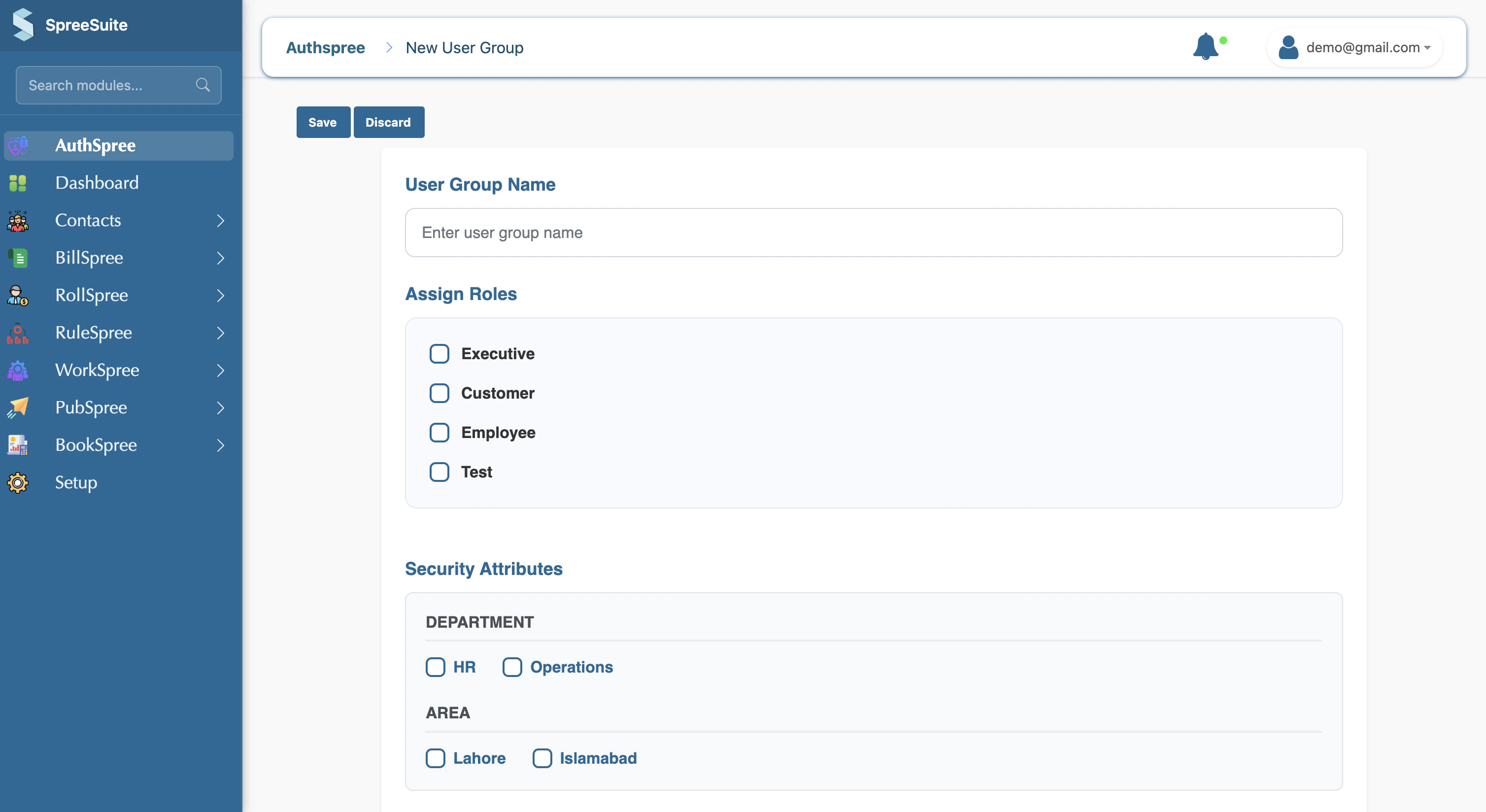
## Create User Group

1- Click on the Create button

2- Assign Permissions
<Frame>
  <img src="https://mintcdn.com/spreesuite/EhPwz8YZU74YThkD/images/Screenshot2026-02-20at9.45.25AM.png?fit=max&auto=format&n=EhPwz8YZU74YThkD&q=85&s=2dd5f8fe692af5926cc0b063109ab236" alt="Screenshot 2026 02 20 At 9 45 25 AM" width="3016" height="1648" data-path="images/Screenshot2026-02-20at9.45.25AM.png" />
</Frame>

3- Enter the role name

<Frame>
  <img src="https://mintcdn.com/spreesuite/EhPwz8YZU74YThkD/images/Screenshot2026-02-20at9.45.41AM.png?fit=max&auto=format&n=EhPwz8YZU74YThkD&q=85&s=a6235c121865263dc4fe68d47e1ff118" alt="Screenshot 2026 02 20 At 9 45 41 AM" width="3016" height="1648" data-path="images/Screenshot2026-02-20at9.45.41AM.png" />
</Frame>

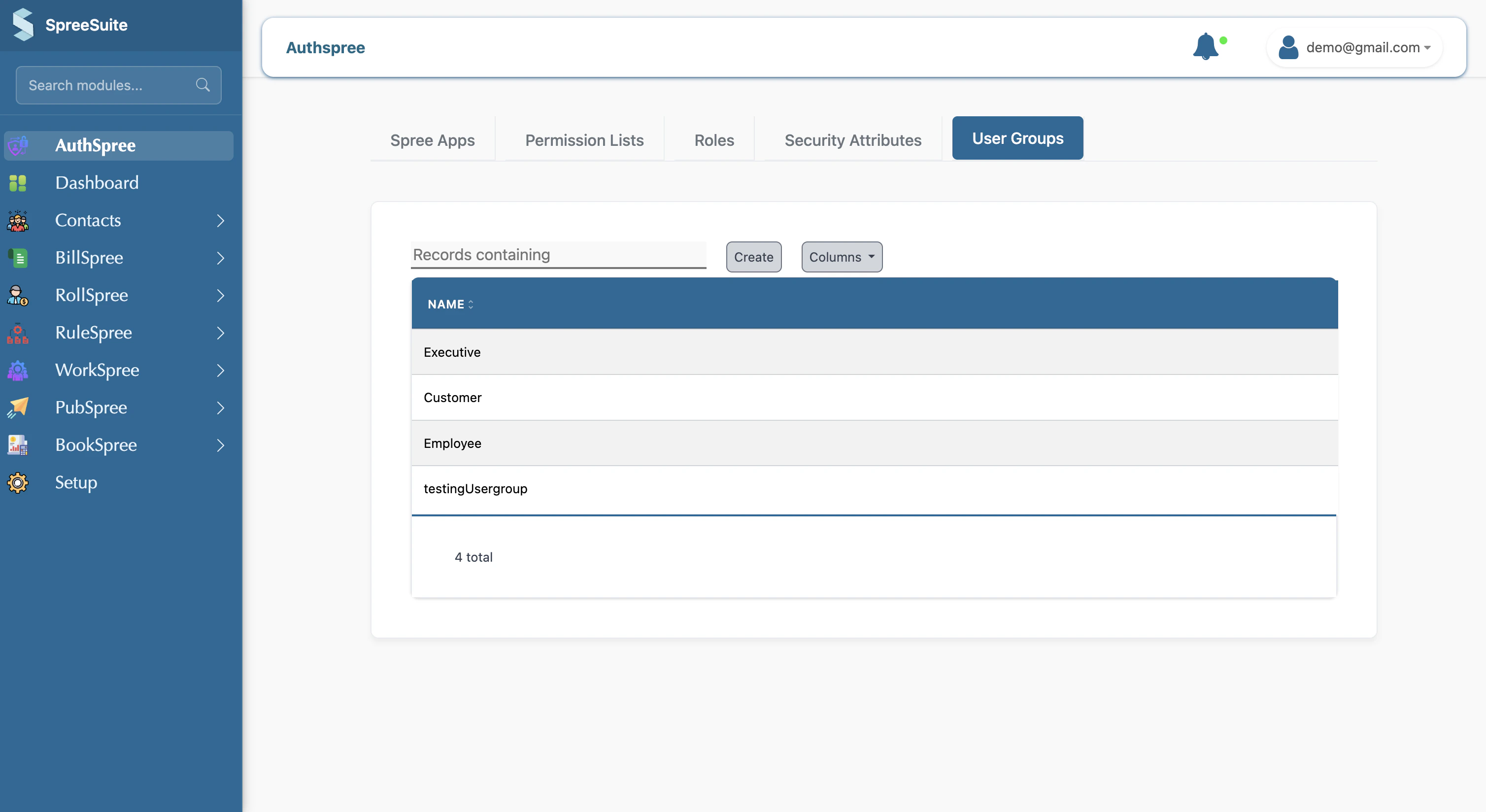
4- Click on the save button, your user group appears in the  list
<Frame>
  <img src="https://mintcdn.com/spreesuite/EhPwz8YZU74YThkD/images/Screenshot2026-02-20at9.46.00AM.png?fit=max&auto=format&n=EhPwz8YZU74YThkD&q=85&s=d312bcfcdec4771b6c90be59adacad6e" alt="Screenshot 2026 02 20 At 9 46 00 AM" width="3016" height="1648" data-path="images/Screenshot2026-02-20at9.46.00AM.png" />
</Frame>

5-